I never thought I’d want a password log printable until a Tuesday in September, when I stood at the front desk of my Pilates studio while the 9:30 class filled up without me. The booking app had logged me out. I had reset that password in July and again in August, and I couldn’t remember which version I’d ended up with. The woman at the desk was kind about it, and my spot still went to the waitlist.
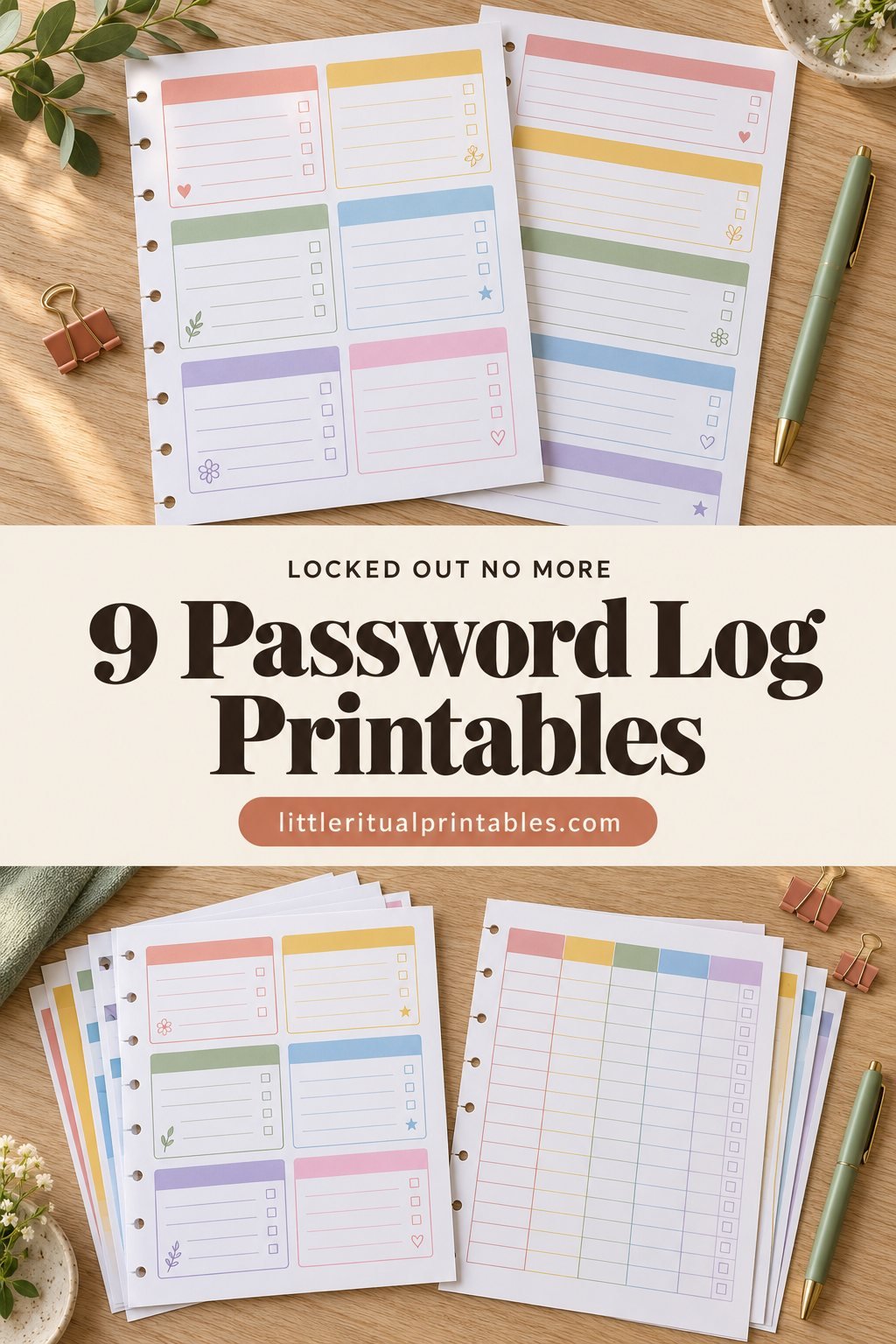
That morning wasn’t a one-off. The kids’ pediatrician portal, the streaming account my older one keeps asking about, the Wi-Fi password every visiting friend needs: each lived in my head, in a different browser or nowhere at all. Every “Forgot password?” cost me ten minutes and a new password I’d lose again by the next reset. I wanted one calm place at home to keep track, a page that sits in the household binder in the kitchen drawer. So I went looking for one, and this is the one I found first. What made me stop on its page: each account sits under its own colored “WEBSITE” bar, the Big size is 8.5 × 11 inches, and the designer suggests printing a new page whenever you need more.
01 / Best overall
Password Tracker,Password Keeper
Designed by watercolortheme.
 Best for color-coded binder pages
- PDF + JPEG
- Big, Classic, Mini
- Editable PDF
What’s insidePassword tracker pages in three Happy Planner sizes, Big (8.5 × 11 in), Classic (7 × 9.25 in) and Mini (4.5 × 7 in), as 3 PDF and 3 JPEG files.
- Rainbow-colored website headers
- Username, password and notes lines
- Ink-friendly design, per the designer
- 170 favorites on Creative Fabrica
Why I picked it
The cover shows two “Passwords” pages where each account sits under its own colored “WEBSITE” bar, so the streaming, utility and bank logins don’t blur together. Big is 8.5 × 11 inches, the size of a home binder, and the designer suggests printing a new page whenever you need more.
Keep in mind: there’s no field for the date a password changed, so it has to go on the “Notes” line.
One page for the binder covered the first side of it. The second was my planner, the small one on the kitchen counter with class times and the kids’ practices, where I wanted the handful of logins I use every week. The third was the whole house: Wi-Fi, subscriptions and the accounts someone else might need if I’m not around. So I kept looking, and here are my other finds: three more one-page sheets for a binder, three inserts for smaller planners, and two bigger sets, a full A–Z password book and a home planner set with a password log page.
After the list: a comparison table, how the groups differ, what I look for, how to keep a paper log safe, a five-step routine, paper vs a password manager, a household kit, ideas and printing tips.
The 9 Best Password Log Printables I Found
Most of what comes up for “password log” on Creative Fabrica is KDP book interiors in 6 × 9 inches, sold for publishing, plus Canva and Excel templates and clipart. I left all of those out, along with black-and-white logbooks. Every pick prints at home, has a block or row per account, and no designer appears more than twice. One-page binder sheets come first, then planner inserts, then the two bigger sets.
TL;DR: 9 password log printables in three groups. One sheet for a binder: a rainbow-header tracker in Happy Planner sizes, a five-color set in A4 and US Letter, a pastel floral 6-page bundle and a simple pink-and-blue sheet. Planner inserts: a watercolor personal-size log, four inserts in five sizes and a strawberry sheet. Bigger sets: a 120-page A–Z password book and a strawberry home planner set with a password log page. The cards list sizes, formats and page counts for each one.
Find your favorite
Quick Picks
Choose a password log to jump to its review.
- 01Best overallPassword Tracker,Password Keeper
- 02Best color choicePrintable Password Tracker, PDF and JPG
- 03Best floral bundlePassword Tracker
- 04Best simple sheetPrintable Password Tracker, Remember
- 05Best personal-size insertPersonal Planner Password Log Printable
- 06Best for any planner sizePassword Tracker
- 07Best cottage lookDigital Password Tracker Printable Sheet
- 08Best full password book2027 Password Tracker
- 09Best planner setUS Letter Paper Size Planner Set
How I chose. In order of weight: a printable page or book with room per account for the website, username and notes; US Letter for a home binder, with A4 or planner sizes as a plus; space for safer habits, like a notes line for a hint, A–Z sections or Wi-Fi and subscription pages; a bright look, so pale gray and plain black-and-white sheets didn’t make it; and a different job for each pick, with no more than two per designer. Everything below comes from each product’s page on Creative Fabrica, checked on October 26, 2026, and favorites counts appear only where the page shows them. I haven’t printed these logs myself, so I describe what the designer shows and lists.
02 / Best color choice
Printable Password Tracker, PDF and JPG
Designed by MLStudio.
 Best for a color per family member
- PDF + JPG
- A4 + US Letter
- 5 colors
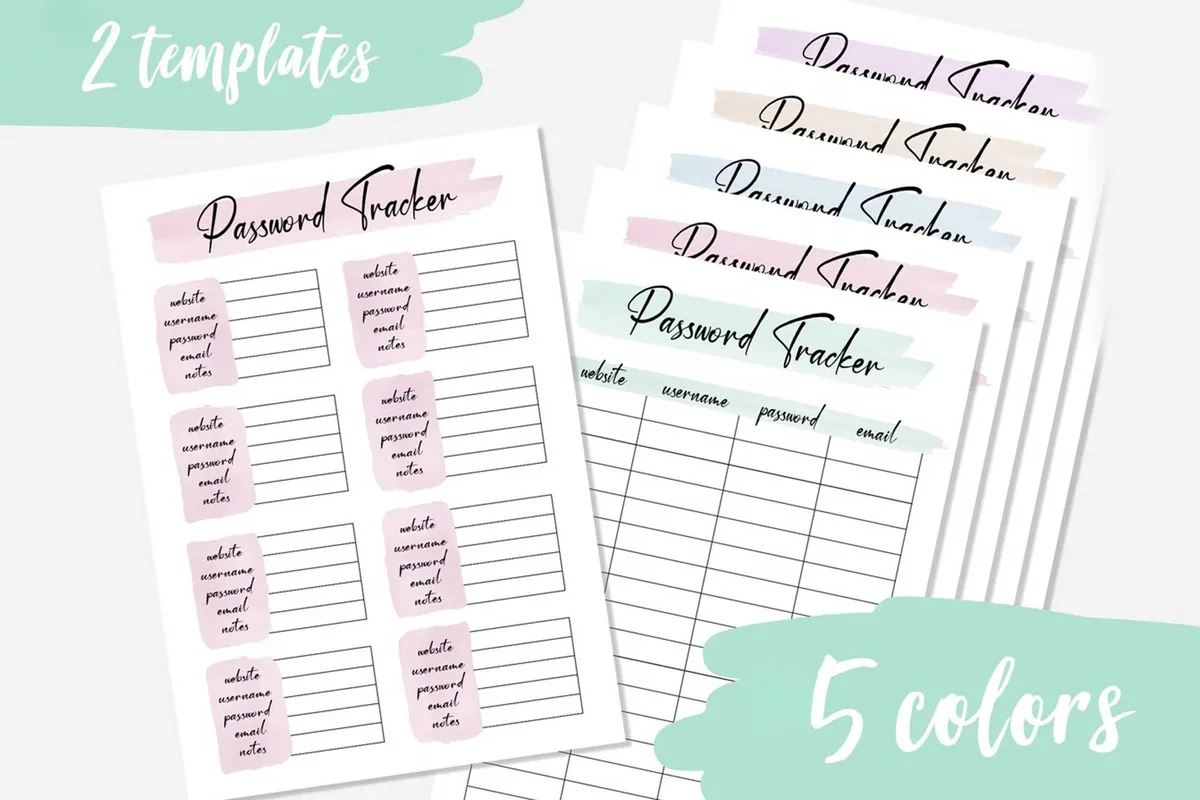
What’s insideTwo password tracker templates in five colors (pink, purple, beige, green and turquoise): 10 PDF and 10 JPG files in A4, and the same again in US Letter.
- 2 templates, 5 colors
- Block layout and table layout
- A4 and US Letter files
- 12 favorites on Creative Fabrica
Why I picked it
Five colors make an easy family code: one color per person, or one for banking, one for shopping and one for the kids’ accounts. The cover shows a block template with room for notes and a table template that fits more short entries.
Keep in mind: the description lists files and colors but not the fields, so check the preview images for the exact layout.
03 / Best floral bundle
Password Tracker
Designed by Pixels N Bows.
 Best for a bright 6-page set
- 8.5 × 11 in
- 6 pages
What’s insideA 6-page floral password tracker in 8.5 × 11 inches to download, print and fill in by hand.
- Pastel glitter and flowers
- “New Password” line per entry
- Notes box on each page
- 32 favorites on Creative Fabrica
Why I picked it
Each entry on the cover has a “New Password” line under the first one, which suits the moment a site makes you reset, and it works just as well for a new hint. Six pages in rainbow pastels give a whole household room before you print more.
Keep in mind: it’s US Letter only, and the glitter background uses a lot of color ink.
04 / Best simple sheet
Printable Password Tracker, Remember
Designed by Spomi Design.
 Best for a plain two-color split
- PDF + JPEG
- A4 + US Letter
- 300 DPI
What’s insideOne password tracker page in pink and one in blue, each as PDF and JPEG at 300 DPI, in A4 and US Letter.
- Pink and blue versions
- Website, e-mail, username, password
- A4 and Letter in one zip
- 16 favorites on Creative Fabrica
Why I picked it
It’s the simplest sheet on the list: four fields per account in two columns, with no extra pages to sort through. Two colors split the accounts in two, say pink for personal and blue for the household.
Keep in mind: there’s no notes line, so a hint or a 2FA reminder has to fit into the password field.
05 / Best personal-size insert
Personal Planner Password Log Printable
Designed by Yelloo Fish.
 Best for a small ring planner
- 3.7 × 6.7 in
- A4 + Letter sheets
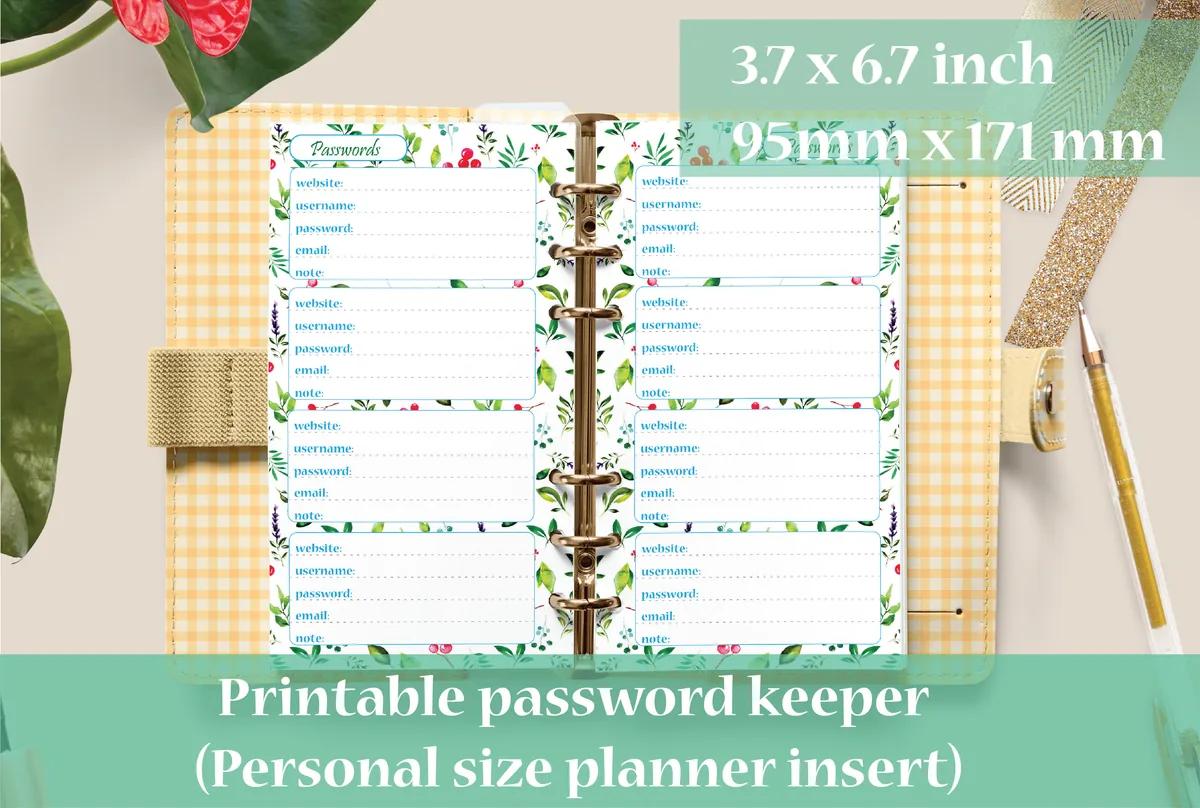
What’s insideLeft and right password log pages in personal planner size (3.7 × 6.7 in), plus both pages on A4 and US Letter sheets with crop marks, as non-editable PDFs.
- Left and right pages
- Crop marks on A4 and Letter
- Watercolor leaves and berries
- 108 favorites on Creative Fabrica
Why I picked it
If your planner is a small six-ring binder, this one is sized for it, and the crop marks make trimming the A4 or Letter sheet simple. Each block on the cover has a “note” line, which is where I’d keep a hint instead of the password itself.
Keep in mind: it’s a non-editable PDF, and the personal size gives each field a short line.
06 / Best for any planner size
Password Tracker
Designed by Jennifer Magri Designs.
 Best for discbound and Happy Planner
- 5 sizes
- 4 inserts
What’s inside4 vertical password organizer inserts, each in A4, A5, US Letter, Half Letter and HP Classic size.
- 4 different insert layouts
- “Date created” field
- Security question lines
- 27 favorites on Creative Fabrica
Why I picked it
Five sizes cover almost any planner, from a Letter binder to a Happy Planner Classic, and the cover shows one layout with “Date created” and three security-question lines. A date makes it easy to see which logins are old.
Keep in mind: the inserts are mostly gray and white, with pink only on the cover, so it’s the quietest design here.
07 / Best cottage look
Digital Password Tracker Printable Sheet
Designed by PlannerPlanet.
 Best for strawberries and daisies
- A4 / US Letter
- 1 sheet
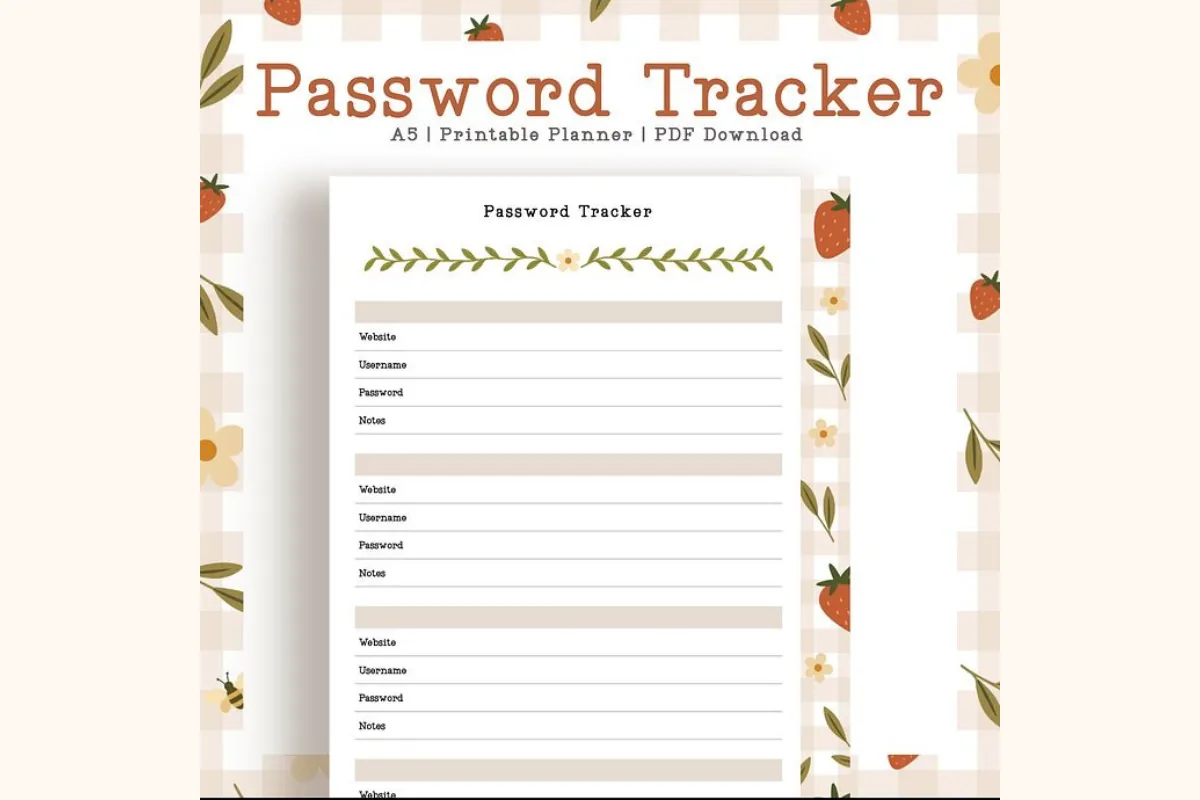
What’s insideOne password tracker sheet as a high-resolution PDF with fields for Website, Username, Password and Notes, to print or to fill in on a tablet.
- Strawberry and daisy border
- Website, username, password, notes
- Print or fill in on a tablet
- 3 favorites on Creative Fabrica
Why I picked it
The border of strawberries and daisies on a cream gingham frame is the coziest design I found, and the fields are the four that matter. The designer writes that it’s handy for anyone who keeps clicking “Forgot Password?”.
Keep in mind: the description says A4 / US Letter while the cover says A5, so print one test page at “Fit” first.
08 / Best full password book
2027 Password Tracker
Designed by Aamo.
 Best for an A–Z family book
- 8.5 × 11 in
- 120 pages
What’s insideA 120-page US Letter password book: a how-to-use guide, a personal information page, a Wi-Fi network tracker, a subscription organizer and 115 log pages in 26 sections from A to Z.
- A–Z sections, 115 log pages
- Wi-Fi network tracker
- Subscription organizer
- Emergency contact and doctor page
Why I picked it
It turns a stack of sheets into a book, with every account filed under its letter. The Wi-Fi and subscription pages cover the logins a household asks about most, and the soft pink tables and floral accents keep it pretty.
Keep in mind: 120 pages is a lot of printing, so start with the guide, the Wi-Fi page and the letters you need.
09 / Best planner set
US Letter Paper Size Planner Set
Designed by Yelloo Fish.
 Best for a matching home planner
- PDF + JPEG
- US Letter
- 11 designs
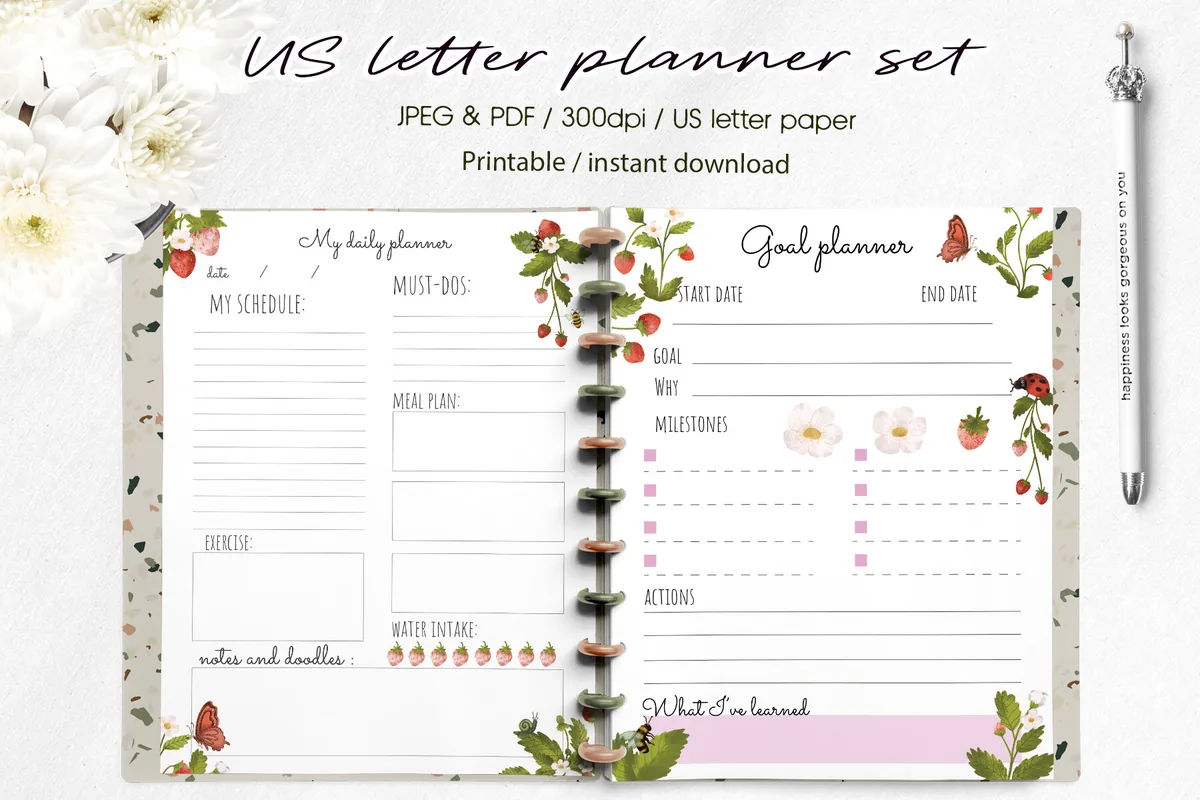
What’s insideA summer strawberry cottagecore set in US Letter: five writing pages, a daily planner, weekly planner, weekly to-do list, goal planner, password log and monthly habit tracker, as 11 PDF and 11 JPEG files.
- Password log page included
- Daily, weekly and goal planners
- Monthly habit tracker
- 23 favorites on Creative Fabrica
Why I picked it
If you want the password log to match the rest of a home planner, this set puts it next to daily, weekly and goal pages with the same strawberries and ladybugs. You can print the password log page as often as you need.
Keep in mind: the PDF isn’t editable, and the password log is one page in a planner set, with no A–Z tabs.
Quick Comparison
| Password log | Style | What’s inside | Sizes / format | Standout |
|---|---|---|---|---|
| 1. Rainbow Header Tracker | Rainbow headers, pink cover | Tracker pages, 3 sizes | Big, Classic, Mini / PDF + JPEG | 170 favorites |
| 2. Five-Color Tracker | Pink, purple, beige, green, turquoise | 2 templates, 5 colors | A4 + US Letter / PDF + JPG | A color per person |
| 3. Floral 6-Page Tracker | Pastel glitter and flowers | 6 pages | 8.5 × 11 in / PDF | “New Password” line |
| 4. Pink & Blue Sheet | Pink or blue rows | 1 page, 2 colors | A4 + US Letter / PDF + JPEG | Simplest layout |
| 5. Personal Planner Log | Watercolor leaves, berries | Left and right pages | 3.7 × 6.7 in, A4, Letter / PDF | Crop marks, 108 favorites |
| 6. Four-Insert Tracker | Gray, pink cover | 4 inserts | A4, A5, Letter, Half Letter, HP Classic / PDF | “Date created” field |
| 7. Strawberry Sheet | Strawberries, daisies, gingham | 1 sheet | A4 / US Letter (cover: A5) / PDF | Coziest border |
| 8. 2027 Password Book | Soft pink, floral accents | 120 pages, A–Z | 8.5 × 11 in / PDF | Wi-Fi and subscriptions |
| 9. Strawberry Planner Set | Cottagecore strawberries | 11 designs incl. password log | US Letter / PDF + JPEG | Matches a home planner |
One Sheet, a Planner Insert or a Whole Book: Which Password Log Fits You
All nine give each account its own spot on paper. The difference is where the page lives and how many accounts it has to hold.
One sheet for a binder
For a household binder in a drawer, with a page you can reprint: the rainbow-header tracker, the five-color set, the floral 6-page bundle and the pink-and-blue sheet. If you’re building a full home management binder, give this page a tab of its own and keep the binder out of sight.
An insert for a smaller planner
For a planner that stays at home with the logins you use each week: the personal-size watercolor log, the four inserts in five sizes and the strawberry sheet. If your planner is built around routines and reminders, the ADHD planner printables roundup has layouts these inserts sit well beside.
A whole book or a matching set
For a family with dozens of accounts, or anyone who wants everything to match: the 120-page A–Z password book and the strawberry planner set.
What I Look For in a Password Log Printable
- A notes line. It’s the place for a hint, the date you changed a password or “2FA on”. Picks 1, 3, 5 and 7 show one; pick 4 doesn’t.
- Your paper size. US Letter for a binder in the US, A4 almost everywhere else. Picks 2 and 4 come in both, and pick 6 adds A5, Half Letter and HP Classic.
- Enough room for your household. A single sheet holds a dozen or so accounts. For a family with streaming, school, health and bank logins, pick 8’s A–Z sections save hunting.
- Pages beyond websites. Wi-Fi networks and subscriptions are the logins people ask about most at home. Pick 8 has a page for each.
- A design you’ll keep using. A log only helps if you update it after each reset. A bright page you like opening, like picks 3, 5 or 7, makes that easier.
- Red flags in a listing. “KDP interior”, “6×9” or “ready to upload” (a book interior for publishing), “Canva template” with no PDF in the file list, “Excel template”, or a single PNG described as clipart.
How to Keep a Paper Password Log Safe
Paper has a fair place here, as long as a few simple rules come with it. Security agencies such as CISA still name a password manager as their first choice, and these habits keep a printed log on the calm side.
- Keep it at home, out of sight. 1Password notes that written passwords are reasonably safe when no one else can get to them, like a notebook that never leaves your home office. Most account attacks happen online, not through a drawer. Keep the log away from the laptop it protects and out of your bag.
- Write a hint, not the whole password. Consumer Reports, in its advice on emergency documents for your family, suggests hints instead of passwords written out in full. A good hint makes sense to you and to nobody else.
- Keep passwords long and different. CISA recommends at least 16 characters, or a passphrase of four to seven unrelated words, and a different password for each account. A log makes unique passwords easier to manage.
- Add two-factor authentication. CISA suggests turning it on especially for email, social media and financial accounts. The FTC calls text codes better than nothing, authenticator apps safer, and security keys the strongest option.
- Change a password when there’s a reason. Current NIST guidance drops scheduled password changes; the FTC says to change a password right away if a data breach may have exposed it. Then update the hint on your page.
- Skip the filled-in digital copy. CISA advises against saving passwords in a file on a computer. If a pick comes as an editable PDF, it’s simpler to fill in the printed page by hand.
Locked Out No More: A Five-Step Password Log Routine
The goal is simple: no more standing at a login screen trying to remember which reset you did last. These five steps take about half an hour the first time and a minute after each reset.

- List your accounts, email first. Your email can reset most other passwords, so it goes at the top. Then banking, health, shopping, streaming and school. Pick 8 files them by letter; pick 2’s five colors can mark the groups.
- Fill in the website and username, then a hint. Write where you log in and the username or email you use, and a hint only you would understand instead of the password. Pick 5’s “note” line and pick 3’s “New Password” line both work for this.
- Note the extra lock. Next to each account, write “2FA: app” or “2FA: text” once two-factor authentication is on. Start with email and banking, as CISA suggests. A reminder like “turn on 2FA for email” fits on a to-do list printable for this week.
- Put the binder away. Home only, in a drawer or a folder away from the computer. The page should be easy for you to find and boring for a visitor to notice.
- Update after every reset, review twice a year. Write the date next to any change (pick 6 has a “Date created” field). Circle two review dates, say January and July, on a printable 2027 calendar, and cross out accounts you’ve closed.
Password Log on Paper vs a Password Manager
- On paper: no app to learn, nothing to sync, and someone in your family can read it if they need to. It can be lost, though, and it can’t be wiped remotely, so it stays at home and holds hints rather than full passwords.
- In a password manager: it creates long, random passwords, stores them and fills them in, so you remember only one. CISA recommends one, and the UK’s NCSC calls password managers “a good thing”.
- The rule that connects them: a manager can hold the passwords while the printed page holds the map, meaning which accounts you have, which email each uses and where 2FA is on. Either way, turn on two-factor authentication for email and banking.
A Household Password Binder Kit
To put the whole house’s logins in one place instead of loose sheets, this is the kit I’d print:
- The rainbow-header tracker in the Big size for the main binder pages (card 1)
- The five-color set, one color per family member (card 2)
- The 2027 Password Tracker’s Wi-Fi and subscription pages for the logins guests and kids ask about (card 8)
- The personal-size watercolor log in the kitchen planner for the few logins used every week (card 5)
- For everything around the passwords, the Household Record Plan | Printable Home by Designs Market: 35 printable pages for family information, emergency contacts, utilities, bills, subscriptions, bank accounts, insurance, important documents, home inventory, warranties, maintenance, vehicles, pets and passwords
Password Log Ideas
- Email accounts on the first line of page one, since they reset everything else
- A Wi-Fi card for guests with the network name and a hint, separate from the main log
- A subscriptions column with the renewal month, checked against a monthly budget printable
- Bank and card logins grouped next to the bills section of a budget planner printable
- One color per family member, using pick 2’s five colors
- “2FA: app” or “2FA: text” written beside each account once it’s on
- A twice-a-year review marked on a monthly calendar printable
- “Update the password log” added to the paperwork day on a cleaning schedule printable
- Grocery and meal-kit app logins kept near the meal planner printables in the kitchen binder
- A “closed accounts” list at the back, so old logins don’t get mixed in
- Kids’ game and school accounts on their own page, with a hint they can learn
- A sticky tab on the log page so it’s quick to find in the binder
How to Print a Password Log at Home
- Match the paper to the file. US Letter is 8.5 × 11 inches and A4 is 210 × 297 mm. Print at “Actual size” when they match and “Fit” when they don’t. Pick 7’s cover says A5 while its description says A4 / US Letter, so print one test page first.
- Planner sizes: A5 (148 × 210 mm) and Half Letter (5.5 × 8.5 inches) aren’t the same, and the Happy Planner Classic is 7 × 9.25 inches. Pick 1 comes in Happy Planner sizes, pick 6 in five sizes, and pick 5 in personal size (3.7 × 6.7 inches) with crop marks.
- Pick paper that takes ink. 24 to 32 lb (about 90 to 120 gsm) matte paper shows less through the page than 20 lb copy paper, which matters for a page you’ll write on again and again.
- Use pencil or an erasable pen for hints. Hints change after every reset, and a clean page is easier to read than one full of cross-outs.
- Punch and file. Leave the outer margin for hole punches and keep the pages in a binder or folder with a plain spine.
- Print what you need. For pick 8’s 120 pages, print the guide, the Wi-Fi and subscription pages and the letters you use first.
A password log is safest inside a locked life organization binder, next to your accounts and bills.
A little help
Frequently asked questions
A few answers before you print.
Is it safe to write down your passwords?
It can be, with care. 1Password says written passwords are reasonably safe when only you can get to them, like a notebook that never leaves home. CISA still recommends a password manager instead of writing passwords down. If you keep a paper log, store it at home out of sight, write hints instead of full passwords and turn on two-factor authentication for email and banking.
What CISA advises: At least 16 characters A different password per account 2FA on email and banking
What should be in a password log?
For each account: the website or service, the login address, the username or email, and a notes line for a hint, the date you last changed it and whether two-factor authentication is on. Useful extras are A–Z sections, a Wi-Fi network page and a subscriptions page with renewal months. Leave out card numbers and anything beyond login details.
Should I write the full password in a password log?
A hint is the safer habit. Consumer Reports suggests hints instead of passwords written out in full in emergency documents for your family. A good hint reminds you and means nothing to anyone else. If you use a password manager, the paper log can simply record which accounts exist and which email each one uses.
Where should I keep a password log?
At home, in a drawer, binder or folder that visitors won’t open, and away from the computer it protects. Don’t carry it in a bag or leave it on the desk. If someone in your family may need it in an emergency, tell them where it is rather than making copies.
Is a password log better than a password manager?
They do different jobs. A password manager creates long, random passwords, stores them and fills them in, and CISA and the UK NCSC both recommend one. A paper log needs no app and can be read by family. Many people use a manager for the passwords and a printed page for the list of accounts, hints and 2FA notes.
Can I make my own password log?
Yes. On a sheet of printer paper, draw four columns: website, username or email, hint and notes. A ruler and fifteen minutes are enough. A designed printable saves drawing the lines each time and adds extras like A–Z sections, Wi-Fi pages and room for a “New Password” hint after a reset.
Final Thoughts
A password log printable works best as a calm map of your accounts: kept at home, filled with hints and updated after each reset. For a family, I’d pair the rainbow-header tracker for the binder with the personal-size watercolor log for the planner on the kitchen counter. Print one page this week, start with email and banking, and turn on two-factor authentication for both while you’re at it.

