I track a lot of things: training runs, Pilates classes, my kids’ swim days. Last January I added one more page, a grid of 365 tiny squares, and colored one square every night for how the day felt. By June I could see something my training log never showed me: the gray weeks lined up with the weeks I slept badly. That’s the whole idea of a year in pixels, and it takes ten seconds a day. This year I went looking for a year in pixels template made for 2027, and this is the one I found first. It stopped me because it comes in three paper sizes, so it fits whatever notebook or binder you already use.
01 / Best overall
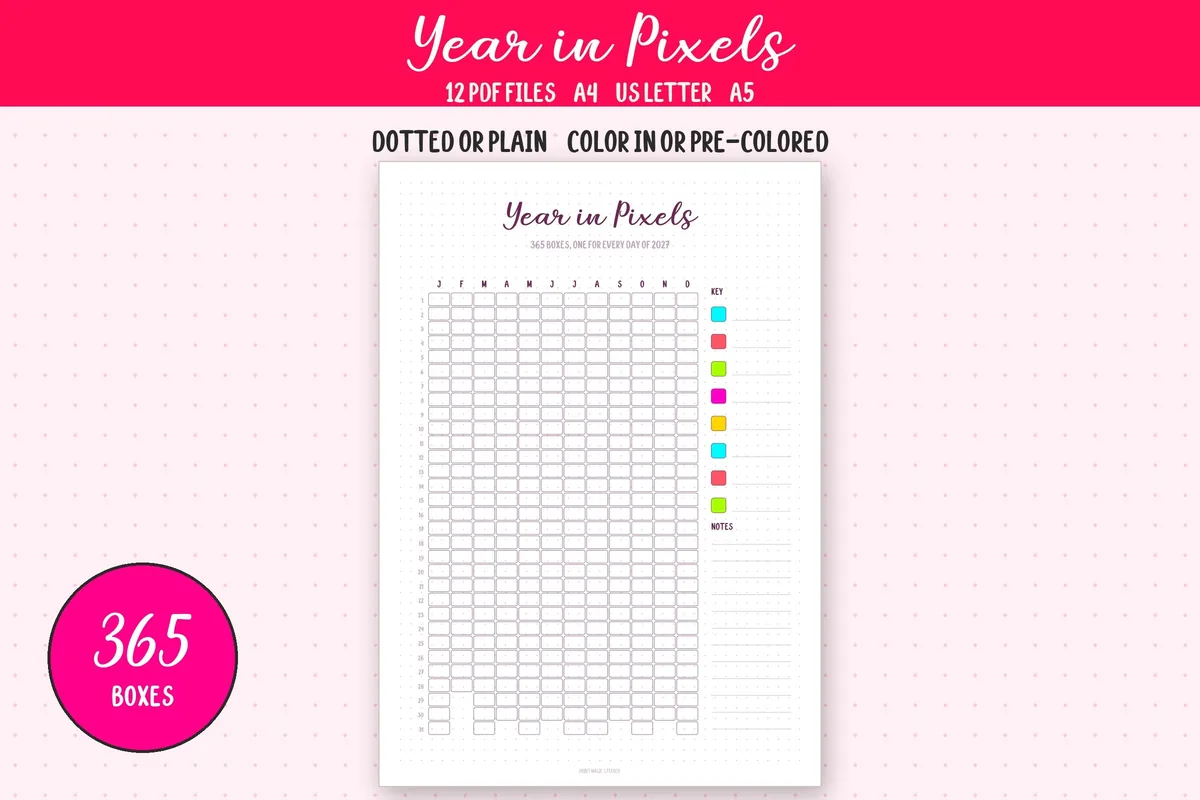
Year in Pixels Printable Page
Designed by Print Magic StudioX.
 Best for 2027
- A4, Letter, A5
- 12 files
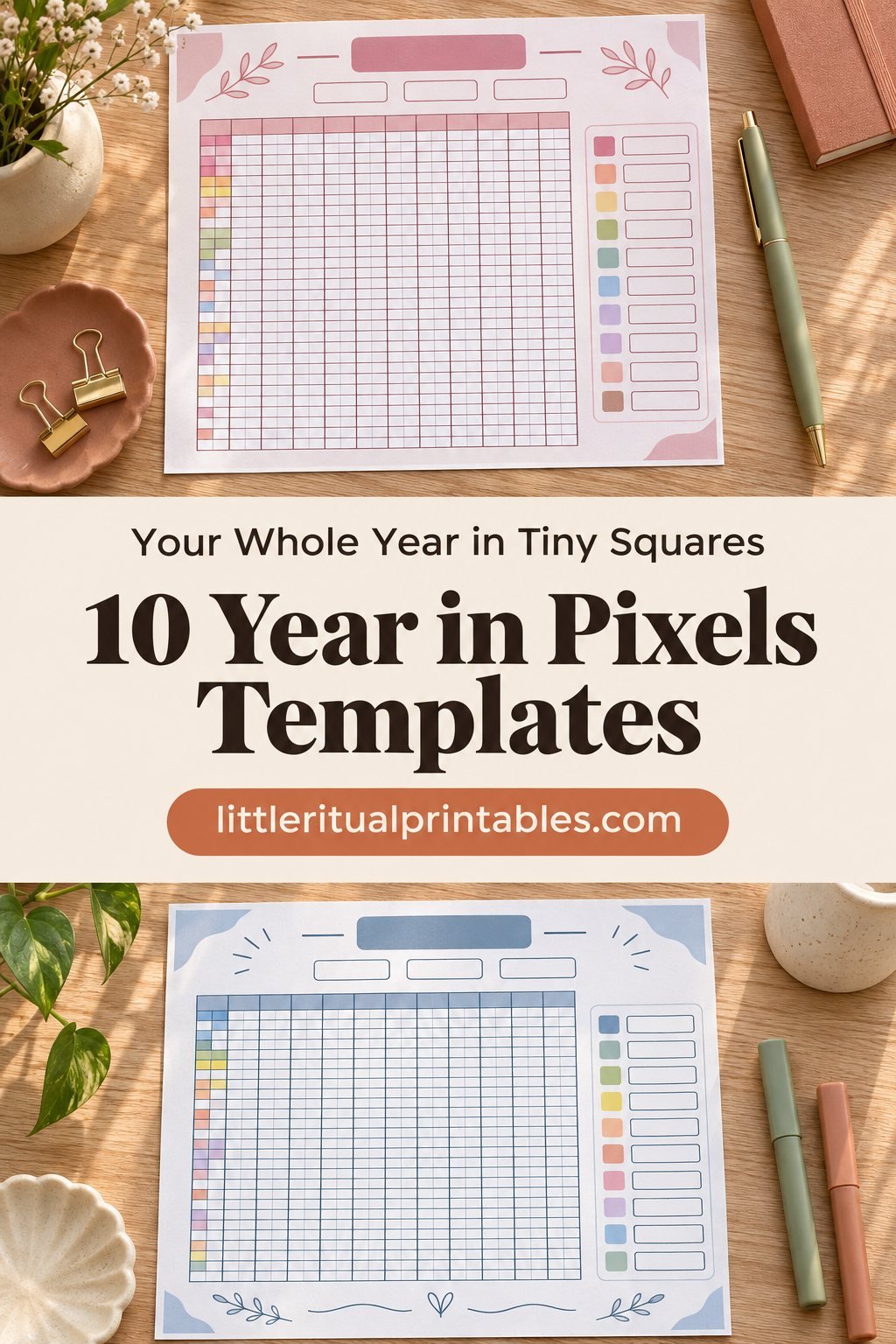
What’s insideA hand-drawn year in pixels page for the whole of 2027, a box for every day colored for how it went; 12 PDFs in one zip in A4, US Letter and A5, with a dotted or plain background, as clean black lines or a pre-colored copy.
- 365 boxes for 2027
- A4, Letter, A5
- Dotted or plain
- Black lines or pre-colored
Why I picked it
It’s dated for 2027 and comes in all three common sizes, so it fits whichever binder or notebook you already use.
Keep in mind: it’s one page with no separate color key sheet, so plan your key on the side.
One page is a start. Some people want a full mood set with monthly reviews, some want to edit the grid in Canva, and some want a tiny strip to glue into a planner. So I kept looking. Below: what a year in pixels is, how to start one, what to track besides mood, and my nine other finds.
What a Year in Pixels Is
A year in pixels is a grid with twelve columns for the months and 31 rows for the days. Each day gets one square, a “pixel,” that you color for how the whole day went. By December you have a picture of your year on one page.
The idea comes from Camille of Passion Carnets, a French bullet journaler who started it around the end of 2015 and later wrote about it on the official Bullet Journal blog. Her key had five colors, warm ones for good days and cool ones for hard days, with yellow for a day when nothing special happened. She colored the square each night while planning the next day.
A simple color key
Five colors are enough
Warm for good days, cool for hard ones.
| Color | Mood | Or rate the day |
|---|---|---|
| Red | Great day | 5 |
| Orange | Good day | 4 |
| Yellow | Ordinary day | 3 |
| Green | Tired or low | 2 |
| Blue | Hard day | 1 |
Highlighted: the colors you’ll use most.
For colorblind readers, use shapes or symbols in the squares instead of colors.
2027 isn’t a leap year: it has 365 days and starts on Friday, January 1. On a 31-row grid, cross out February 29, 30 and 31 and the 31st of April, June, September and November before you start, so you don’t color a day that doesn’t exist.
How to Start a Year in Pixels in 5 Steps
- Pick one thing to track. Mood is the classic, but sleep or energy work just as well. One thing per grid.
- Write the key first. Five colors or a 1-to-5 scale, drafted in pencil, in colors that are easy to tell apart.
- Cross out the days that don’t exist. February 29 to 31 and the 31st of the short months.
- Color at the same time every day. Before bed works for most people; rate the whole day, not the last hour.
- Look at it once a month. On the first of each month, notice the colors and write one line about what you see.
Will it help? A small 2007 lab study by Matthew Lieberman found that putting a feeling into words calmed the brain’s alarm response a little, and a 2012 trial with teenagers found that tracking mood on a phone raised emotional self-awareness. That’s modest evidence, and the honest promise is this: a year in pixels may help you notice patterns. It isn’t a treatment, and if a grid shows weeks of hard days in a row, that’s a good reason to talk to someone.
What to Track Besides Mood
- Sleep: hours or quality, which often explains the mood squares.
- Weather: blue for cold to red for hot makes a pretty “temperature quilt.”
- Energy: high, middle or low.
- Movement: rest day, walk, workout or long workout.
- Water: how many glasses you drank.
- Reading: no reading, a few pages or a long session.
- Screen time: under or over the limit you set.
- Stress or anxiety: a 1-to-5 scale.
- Your cycle: days and symptoms.
- Gratitude: one color for days you wrote a thank-you line.
- A habit: done or not done, two colors only.
- A family grid: one square a day for how the house felt, colored together at dinner.
The 10 Best Year in Pixels Templates I Found
I skipped KDP interiors with 120-page books of identical grids, digital-only files and anything dated 2026. One designer sells many near-identical year in pixels pages with different illustrations, so I kept one, and I kept two from Sharp Flair Graphics because they do different jobs. The picks run from a single 2027 page to a ten-tracker bundle.

In short: start with the Print Magic StudioX page for a dated 2027 grid, take the Nook Paper Co. set if you want monthly reviews too, and print the Sous la Lune d’Été strip if you’d rather glue the grid into your planner.

Find your favorite
Quick Picks
Choose a template to jump to its review.
- 01Best overallYear in Pixels Printable Page
- 02Best mood set2027 Mood Tracker Printable & Fillable
- 03Best editableCustom a Year in Pixels Canva Template 1
- 04Best smallYear in Pixels Printable Tracker
- 05Best bundlePrintable Yearly Trackers Bundle
- 06Best illustratedYear in Pixels
- 07Best ink-lightYearly Mood Tracker,Mood Journal
- 08Best two stylesYearly Mood Tracker | Canva Template
- 09Best monthly add-onMega Mood Tracker | Canva Template | B/W
- 10Best for sleep and energy2027 Mood Tracker
How I chose. In order of weight: a real 12-by-31 grid you can print (or 2027 mood pages that include one); room for a color key; a stated paper size; and a range from a single page to a bundle. Everything below comes from each product’s page on Creative Fabrica, checked on November 13, 2026. I haven’t printed these myself, so I describe what each designer lists and shows.
02 / Best mood set
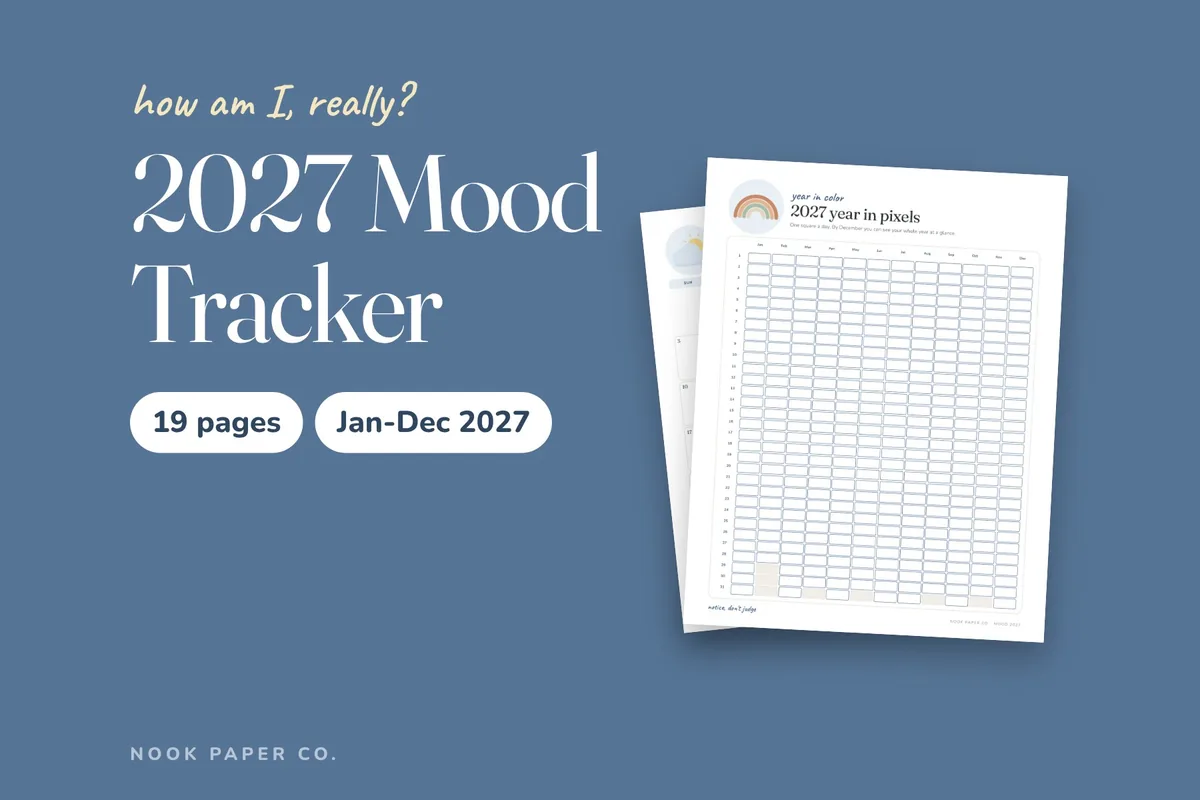
2027 Mood Tracker Printable & Fillable
Designed by Nook Paper Co.
 Best for noticing patterns
- US Letter + A4
- 19 pages
What’s insideA calm dusty blue 2027 mood tracker on 19 pages: a mood color key for 10 moods, a 2027 year in pixels, 12 monthly mood calendars from January to December 2027 (Sunday start) with best day, hard day and what helped, a triggers and what helps page, a 2027 mood review and notes; printable PDF in US Letter and A4 plus a fillable PDF.
- 10-mood color key
- 2027 year in pixels
- 12 monthly calendars
- Fillable PDF
Why I picked it
The monthly pages ask what helped on a hard day, which turns colored squares into something you can act on.
Keep in mind: the months start on Sunday, which won’t match a Monday-start planner.
03 / Best editable
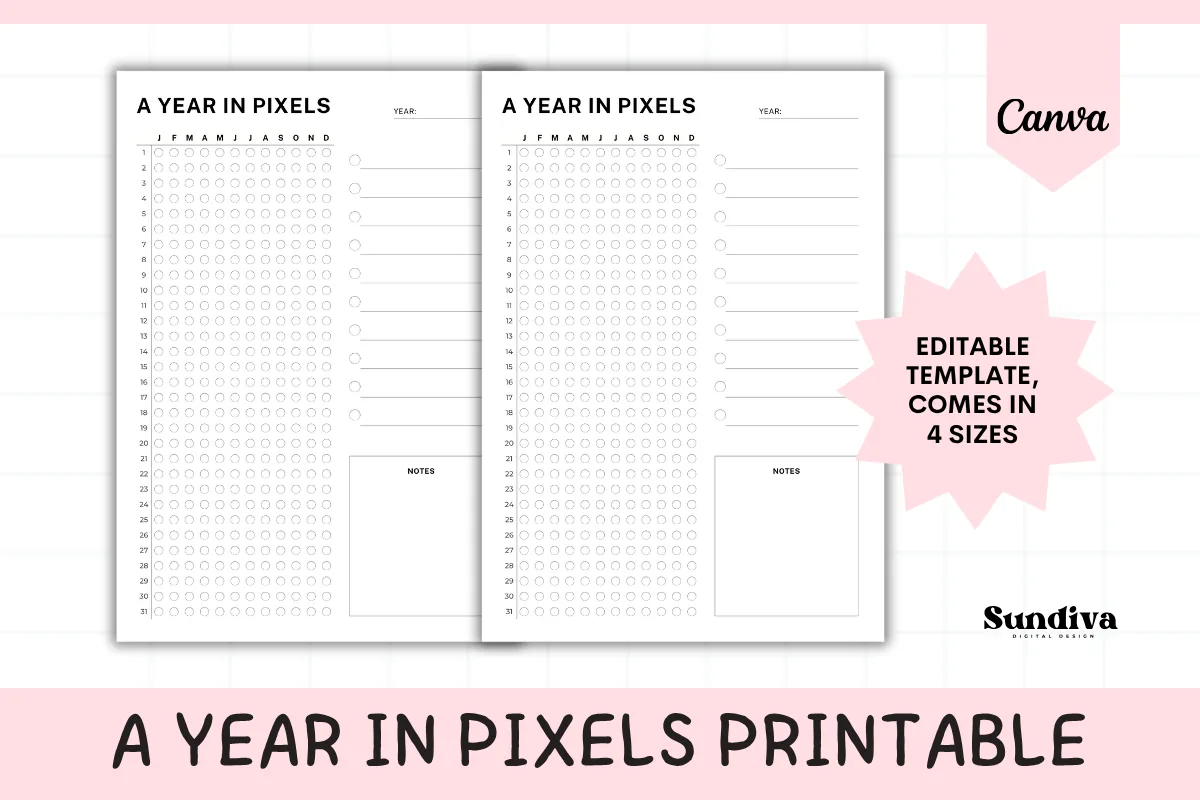
Custom a Year in Pixels Canva Template 1
Designed by Sundiva Design.
 Best for your own layout
- Canva
- 4 sizes
- 31 x 12 grid
What’s insideA year in pixels template with a 31-day by 12-month grid, edited in Canva and delivered as a PDF with the template link and instructions, in four sizes: US Letter, Half Letter, A4 and A5.
- 31 x 12 grid
- Edit in Canva
- Letter, Half Letter, A4, A5
- Notes space
Why I picked it
You can add your own title and color key in Canva before printing, so the page tracks exactly what you want.
Keep in mind: you need a Canva account and a few minutes of editing before it’s ready.
04 / Best small
Year in Pixels Printable Tracker
Designed by Sous la Lune d’Été.
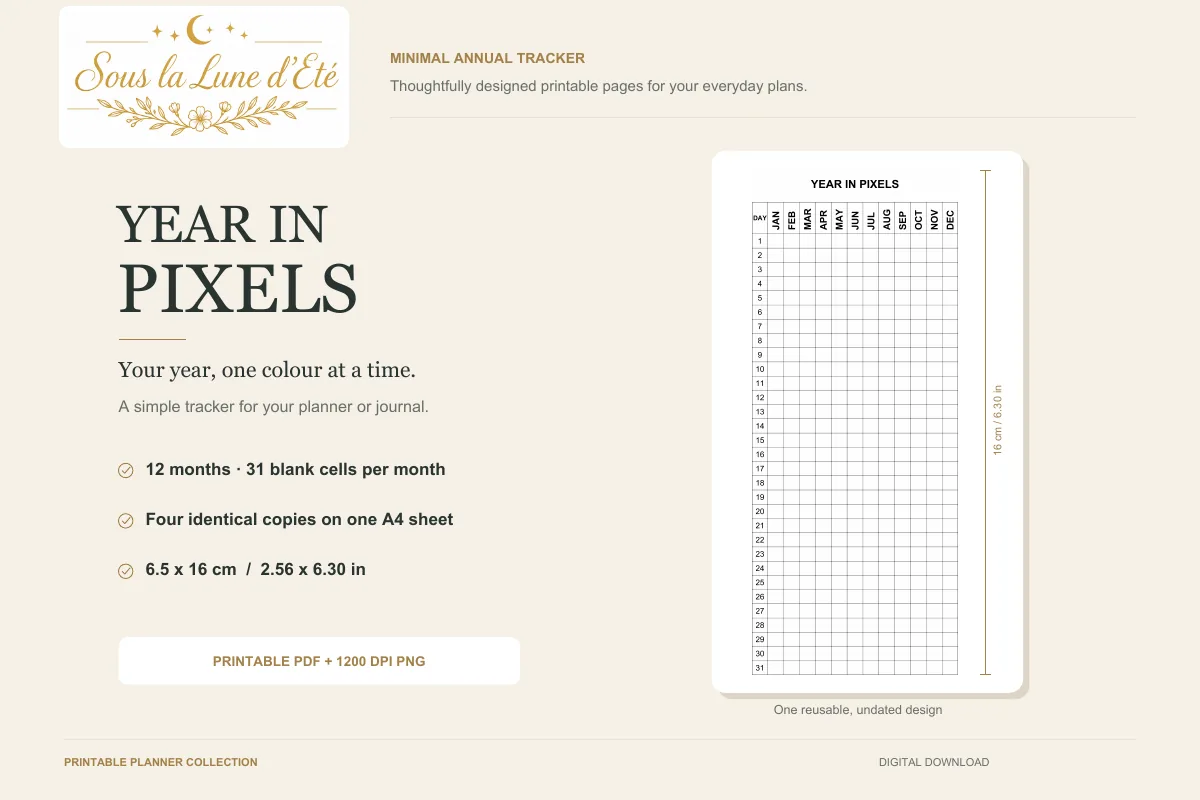 Best for gluing into a planner
- PDF, PNG
- 6.5 x 16 cm
- 4 per A4 sheet
What’s insideA slim minimalist year in pixels tracker, 6.5 cm wide by 16 cm high (about 2.56 x 6.30 inches), with month labels from January to December and days 1 to 31; an A4 landscape PDF with four copies and cutting marks, a 1200 DPI PNG and a printing guide, undated for any year.
- Slim strip layout
- Four per A4 sheet
- Cutting marks
- Undated
Why I picked it
It’s small enough to glue into a planner or print on sticker paper, so the tracker lives where you write every day.
Keep in mind: the cells are small, so fine-tip pens work better than markers.
05 / Best bundle
Printable Yearly Trackers Bundle
Designed by DreamyOverlay.
 Best for tracking more than mood
- Letter, A4, A5
- 10 trackers
What’s inside10 printable yearly trackers: year in pixels, weather, water, temperature log (Fahrenheit and Celsius), stress, rate my day, mood in pixels, dreams, health and anxiety, with blank, dotted and clean versions, as PDFs in US Letter, A4 and A5.
- Year in pixels
- Weather and water
- Stress and anxiety
- Letter, A4, A5
Why I picked it
Ten yearly grids mean mood, weather and water can each get their own page instead of sharing one key.
Keep in mind: it’s PDF only, so you can’t change the titles.
06 / Best illustrated
Year in Pixels
Designed by Origin Designs PH.
 Best for a pretty page
- PNG, PDF
- 8.5 x 11 in
- 1 page
What’s insideA printable My Year in Pixels page in 8.5 x 11 inches with a vertical grid of months and days, a column of key boxes on the side and a small watercolor illustration of a bicycle with flowers in the corner, as PNG and PDF.
- Months across, days down
- Key boxes
- Watercolor bicycle
- 8.5 x 11 in
Why I picked it
A small illustration makes the page feel like a journal page, not a spreadsheet.
Keep in mind: the designer sells many near-identical versions, so check the illustration before you buy.
07 / Best ink-light
Yearly Mood Tracker,Mood Journal
Designed by watercolortheme.
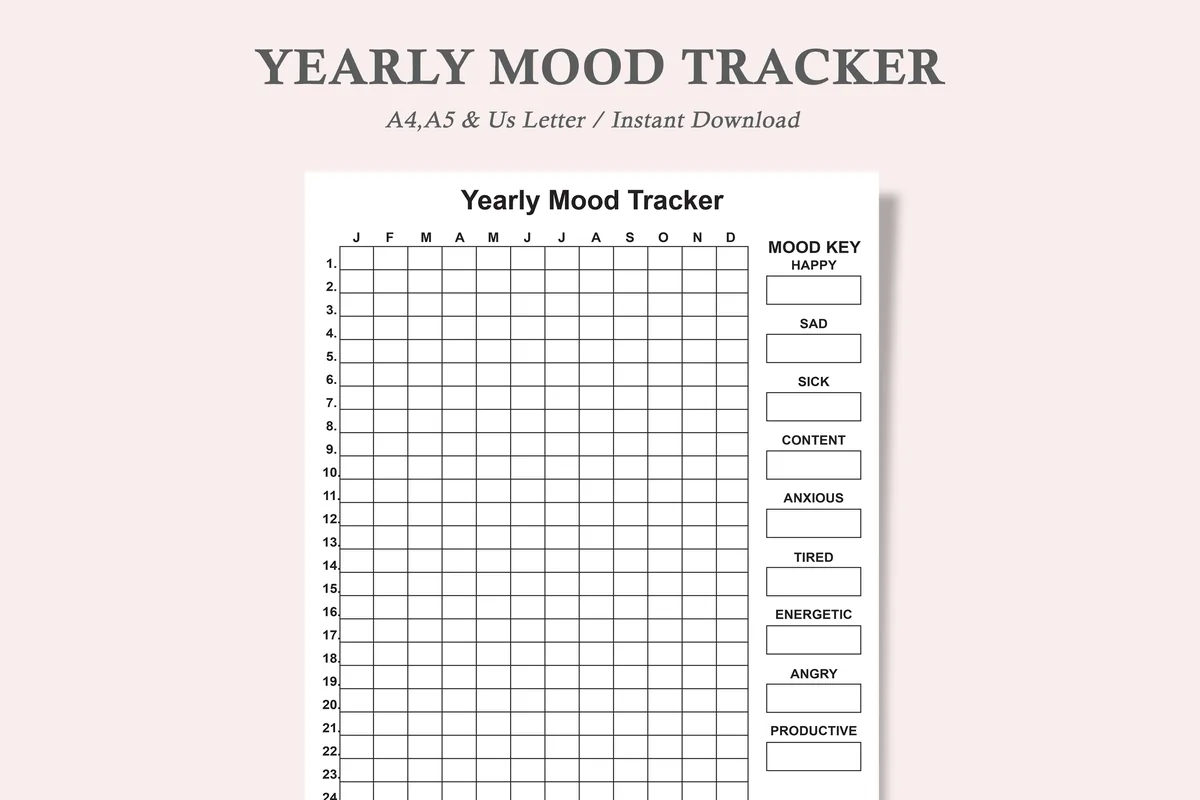 Best for printing often
- PDF, JPEG
- Letter, A4, A5
- 1 page
What’s insideA minimalist, ink-friendly yearly mood tracker with a key for moods such as happy, sad, sick, content, anxious, tired, energetic, angry and productive, as 3 PDFs and 3 JPEGs in US Letter, A4 and A5.
- 9-mood key
- Ink-friendly
- Letter, A4, A5
- PDF and JPEG
Why I picked it
The key is already filled in, so you can start coloring on January 1 without deciding anything.
Keep in mind: the moods are set, so you can’t track something else without covering the labels.
08 / Best two styles
Yearly Mood Tracker | Canva Template
Designed by Sharp Flair Graphics.
 Best for a cute key
- Canva
- US Letter
- 2 pages
What’s insideAn editable yearly mood tracker in two versions, both editable in Canva, where you color each column against the date and create your own color code; the cover shows Year in Pixels pages in pink and mint in US Letter size.
- 2 versions
- Your own color code
- Edit in Canva
- US Letter
Why I picked it
Two color versions let you pick a soft pink or mint page and change the key words in Canva.
Keep in mind: you need Canva to edit before printing.
09 / Best monthly add-on
Mega Mood Tracker | Canva Template | B/W
Designed by Sharp Flair Graphics.
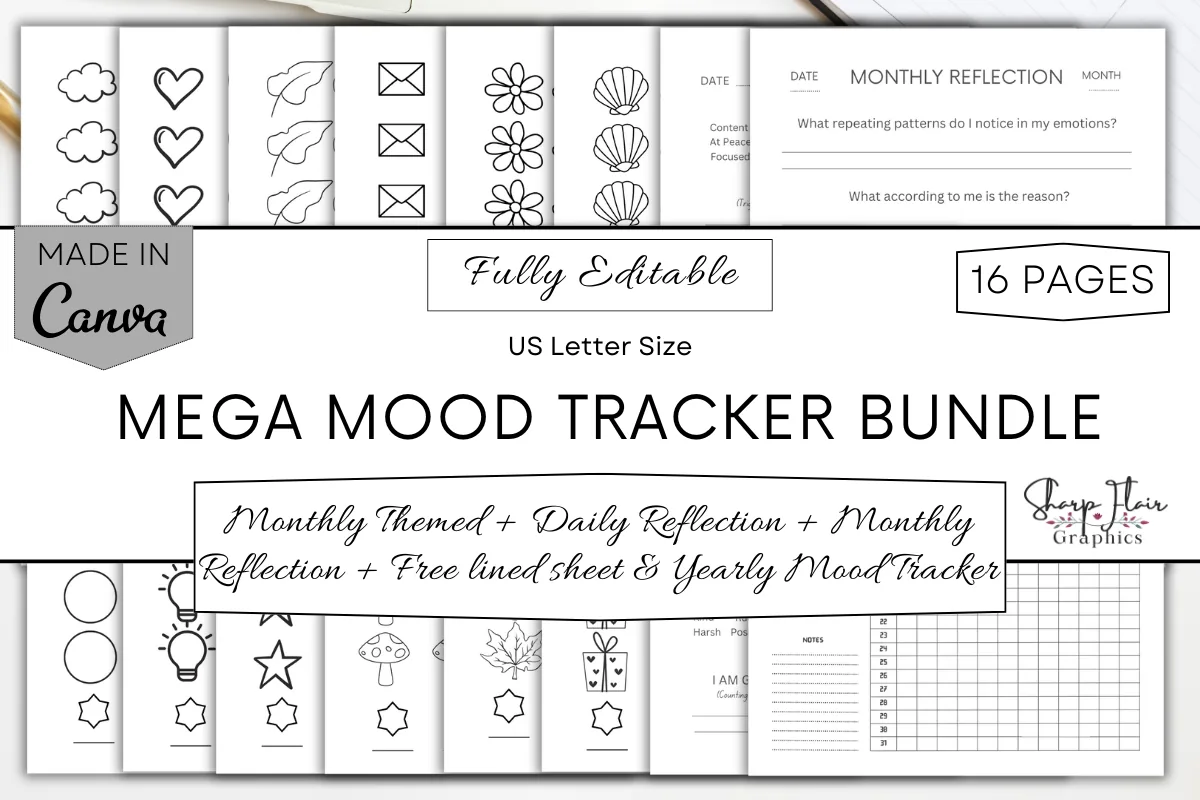 Best for coloring
- Canva
- US Letter
- 16 pages
What’s insideA 16-page black and white mood tracker bundle: 12 monthly mood coloring sheets with a theme for each month, a daily reflection page, a monthly reflection page, a yearly mood tracker and a lined page, editable in Canva, US Letter.
- 12 themed months
- Yearly mood tracker
- Reflection pages
- Black and white
Why I picked it
Kids and adults who like coloring get a themed picture each month alongside the yearly grid.
Keep in mind: the yearly tracker is only one of 16 pages, so it’s more of a mood journal.
10 / Best for sleep and energy
2027 Mood Tracker
Designed by Healers Hub co.
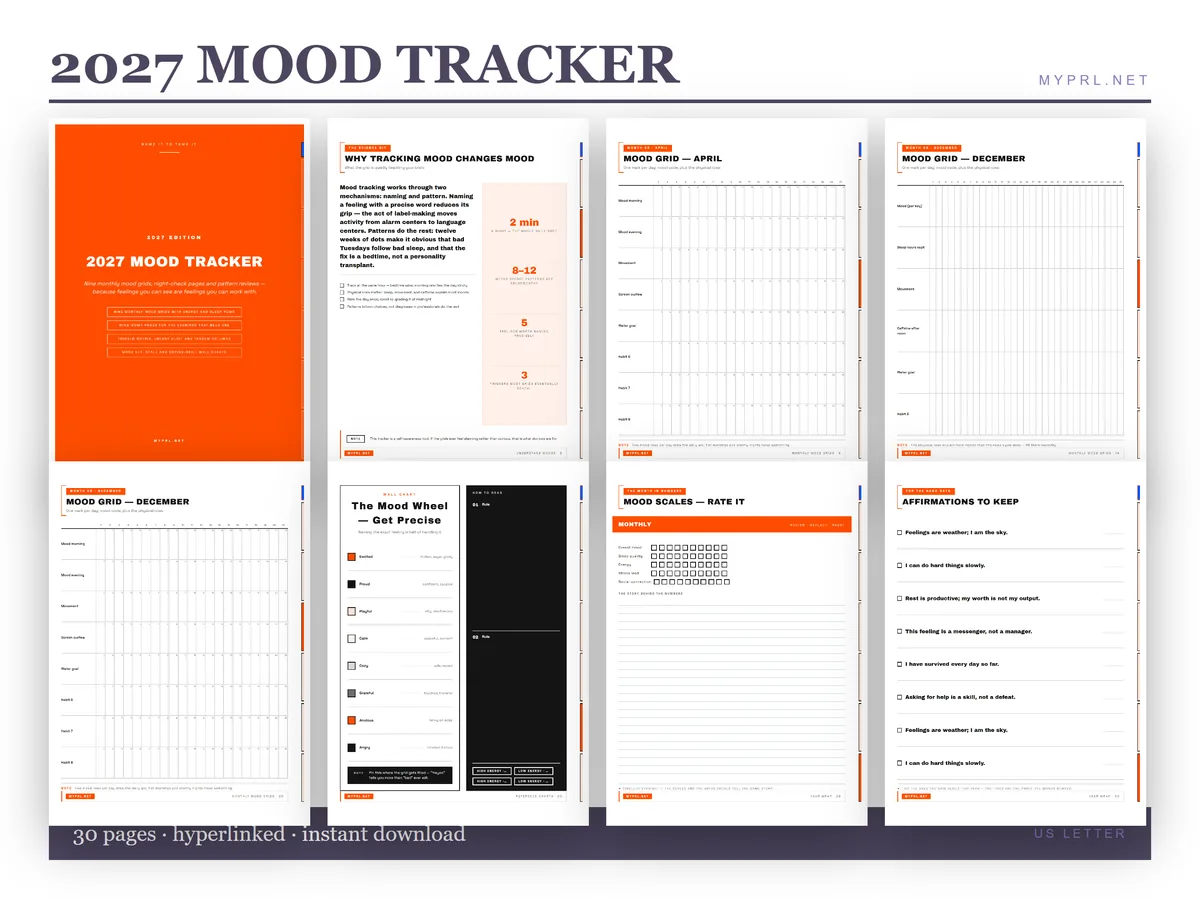 Best for detailed tracking
- PDF, PNG
- Hyperlinked
- Mood grids
What’s insideA 2027 mood tracker with monthly mood grids that add energy and sleep rows, a trigger matrix, an energy audit, a calibrated mood scale, a mood wheel and a coping-skills card, with quick-reference chart pages; a print-ready hyperlinked PDF plus every page as PNG.
- Energy and sleep rows
- Trigger matrix
- Mood wheel
- Coping-skills card
Why I picked it
Sleep and energy rows next to mood show why a day felt the way it did.
Keep in mind: it’s monthly grids rather than one year in pixels page, and the cover and listing give different page counts.
Quick Comparison
| Product | Style | What’s inside | Sizes/format | Standout |
|---|---|---|---|---|
| 1. 2027 Page | Hand drawn | 365 boxes | A4, Letter, A5 | Dated 2027 |
| 2. Mood Set | Dusty blue | 19 pages | Letter + A4 | Monthly review |
| 3. Canva Grid | Minimal | 31 x 12 | 4 sizes | Editable |
| 4. Slim Strip | Minimal | 4 per sheet | 6.5 x 16 cm | Glue-in |
| 5. Bundle | Doodle | 10 trackers | Letter, A4, A5 | Beyond mood |
| 6. Illustrated | Watercolor | 1 page | 8.5 x 11 | Pretty |
| 7. Ink-Light | Black and white | 1 page | Letter, A4, A5 | Key filled in |
| 8. Pink and Mint | Cute | 2 pages | Letter / Canva | Two styles |
| 9. Mega Mood | Coloring | 16 pages | Letter / Canva | Themed months |
| 10. Sleep and Energy | Bold | Mood grids | PDF, PNG | Trigger matrix |
One Page, a Mood Set or a Bundle: Which One You Need
For one simple grid
Picks 1, 3, 4, 6 and 7 are single grids: dated, editable, glue-in, illustrated or ink-light. They suit anyone tracking one thing for the year. If you want to write about why a day went wrong, a single grid gives you no room.
For mood with reflection
Picks 2, 9 and 10 add monthly pages, reflection prompts, triggers or sleep and energy rows. They’re for people who want to understand their moods, not only color them. For a quick daily ritual, they’re more than you need.
For tracking several things
Picks 5 and 8 give you more than one grid or style, so mood, weather and water can each get a page. They work well in a bullet journal with a yearly tracker section. If you only track mood, one page is enough.
Paper, Pens and Missed Days
Print at 100% or actual size on white paper; an A4 file printed on US Letter can lose its edges unless you scale it down. Colored pencils and water-based markers work on ordinary printer paper, while alcohol markers bleed through it and often through cardstock, so put a scrap sheet underneath. If the page will hang on the wall all year, print it on light cardstock.
You will miss days. No one I found has a rule for this, so here’s what I do: if it’s within a day or two, I color it from memory; if not, I leave a small dot instead of guessing. A few dots don’t spoil the picture.
A year in pixels sits nicely beside the other trackers on the site. My habit tracker printables are the place to start for daily habits, and a mood tracker printable gives each month more room. For the whole year, a yearly habit tracker for 2027 pairs well with this grid, and a 30-day habit tracker printable is easier for a first January. If sleep or water turns out to drive your colors, a sleep tracker printable or a water tracker printable tracks them in detail. The grid fits in the back of a 2027 planner printable, the monthly look-back goes well with new year journal prompts, and the slim strip prints nicely on the sticker paper from my Christmas stickers printable guide.
A little help
Frequently asked questions
A few answers before you print.
What is a year in pixels?
A one-page grid with 12 columns for the months and 31 rows for the days. You color one square, or “pixel,” each day for how the day went, and by December the page shows your whole year at a glance.
Year in pixels 2027: 365 squares Starts Fri, Jan 1 No Feb 29
How do you make a year in pixels?
Draw or print a 12-by-31 grid, cross out the days that don’t exist, write a key of about five colors, and color one square every evening. A template saves the drawing.
What colors should I use for a year in pixels?
Five colors that are easy to tell apart, warm for good days and cool for hard ones, or a 1-to-5 scale. More than seven colors makes patterns harder to see.
What else can I track besides mood?
Sleep, weather, energy, movement, water, reading, screen time, stress, your cycle or a single habit. Use one grid per thing so the key stays simple.
What if I forget to fill in a day?
Fill it from memory if it was within a day or two, or leave a small dot or a gray “unsure” mark. It’s better than guessing, and the overall picture still works.
Who created the year in pixels?
Camille of Passion Carnets, a French bullet journaler, around the end of 2015. She later described her method on the official Bullet Journal blog.
A year in pixels sits well in a January bullet journal setup next to the habit and mood trackers.
Final Thoughts
A year in pixels template is the smallest habit tracker there is: one square, ten seconds, every night. I’d print the Print Magic StudioX page for 2027 and add the Nook Paper Co. set if you want to look closer each month. Write your five-color key this week, cross out the days that don’t exist, and color your first square on Friday, January 1.